Stronge IPTV Setup Guide – Easy Installation for Android, Windows, Mac, Smart TV & Web
Stronge IPTV Setup Guide: Easy Steps for Every Device
Welcome to the ultimate guide for setting up your Stronge IPTV subscription! Forget confusing codes and tables. Follow these simple steps according to the device you want to use.
1. 📱 For Android TV Boxes & Android Mobile Devices
Android is the easiest platform. You can connect using the official app or general player apps.
A. Recommended Official App (Easy Login)
This is the simplest method, using your Username and Password.
App Name: 4KSTRONG (Version 6.0)
How to Install:
Open the browser on your Android device.
Download the APK installation file directly:
https://download.ottrun.com/downloads/538176/4KSTRONG-6.0-v800.apk Install the file, open the app, and log in with your Username and Password or Xtream Codes.
B. Using Code Downloader Apps (Quick Installation)
These apps let you download the player with a short code instead of a long URL.
Examples: Fast 8k Player, 8k Player Vip, Strong Power, TVMate 8K, 8K Player Plus, etc.
How to Install and Connect:
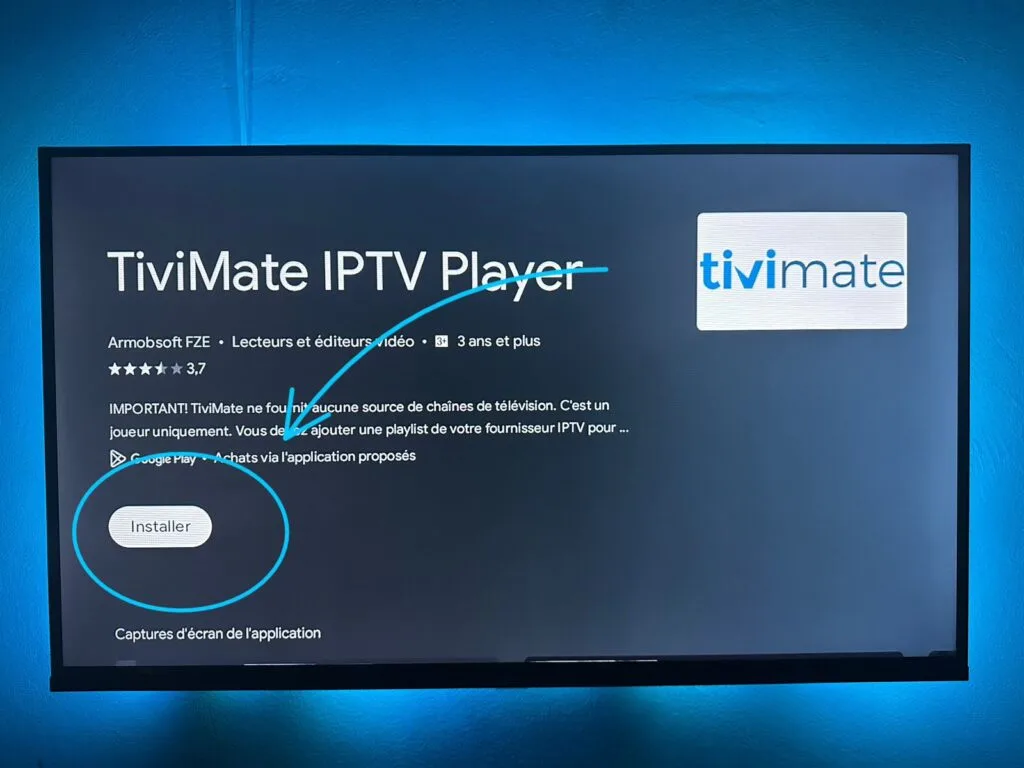
Install the Downloader App from the Google Play Store on your device.
Open Downloader and use the short URLs or codes provided by your supplier to install the player.
(Example: Use Code 948558 for Fast 8k Player from the link
https://my8k.me/2u.pw/f8k
Open the player and enter your Connection Code or M3U Playlist URL to finalize the setup.
2. 💻 For Windows PCs & Laptops
You have two powerful options for PC users, depending on your preferred connection type.
A. 4K Player (M3U Method)
This uses your standard M3U Playlist file or URL.
Download Link: http://cmc.best-ott.me/apk_app/4KPLAYER.Setup.1.2.2.exe
Setup: Install the program, then paste your M3U URL into the app's playlist loader to load all channels.
B. 4K Player VPN (MAG/Portal Method)
This version uses the portal connection method and includes a built-in VPN.
Download Link: http://download.best-ott.me/apk_app/4KPLAYERVPN.Setup.1.2.2.exe
Setup: After installation, you will need to provide the app's MAC Address to your provider to get the Portal URL for connection.
3. 🖥️ For Apple Mac Devices (macOS)
Mac users can choose between the advanced Portal method or the simpler M3U method.
A. 4K Player MAC (MAG/Portal Method)
This is the recommended portal method for macOS.
Access/Download URL:
http://aftv.news/8510562 Setup: Use the code 8510562 to download the client. You will activate it using your subscription details or by linking it via the billing system.
B. 8K PLAYER macOS (M3U Method)
A dedicated player that connects using your M3U link.
Download Link: http://download.best-ott.me/apk_gold/8k.PLAYER.OS-1.0.0.dmg
Setup: Install the DMG file, open the app, and paste your M3U URL to start streaming.
4. 📺 For Smart TVs & MAG Boxes (Portal Method)
This is the standard, high-quality connection method for dedicated TV boxes and Smart TVs.
A. Smart TVs (Samsung, LG, etc.) – Smart STB
Install Smart STB: Search your TV's App Store for the Smart STB application.
Direct link for Android/Google Play compatible TVs: https://play.google.com/store/apps/details?id=net.smart_stb.app&hl=en&gl=US
Setup:
Open Smart STB to find its unique Virtual MAC Address.
Send this MAC Address to your provider for activation.
Enter the Portal URL to start the service.
B. Dedicated Android Boxes – Stalker Portal (MAG)
Download Link: http://cmc.best-ott.me/apk_app/ST_V220.apk
Setup: Install the APK, provide the box MAC Address to your provider, and enter the Portal URL.
5. 🌐 Web Browser Access (Watch Anywhere)
You can stream your service instantly on any device with a modern web browser—no installation needed!
Access Link:
http://web-8k.me/ Setup: Open the link in your browser, log in with your Username and Password, and start watching channels, movies, and series.
6. ⚙️ For Advanced Linux Boxes (Enigma)
If you use a Linux-based set-top box (like VU+ or Dreambox) running Enigma1 or Enigma2.
Plugin: Enigma2 V2 Plugin (Available in standard and UK-IT versions)
Download Links:
Standard Plugin: http://cmc.best-ott.me/apk_app/4K.PLAYER.E2.PLUGIN.zip
UK-IT Plugin: http://cmc.best-ott.me/apk_app/4K.PLAYER.UK-IT.E2.PLUGIN.zip
Installation: Download the plugin file, transfer it to your Linux Box (usually via FTP), and install it through your box's file manager or terminal. The service will integrate directly into the Enigma menu.
 Facebook
 Twitter
 LinkedIn
 WhatsApp

.webp)